
Your Complete Guide to Google Forms 2 Sections13 LessonsLifetime
Create a New Form
You can create surveys and quizzes using Google Forms, then share them and track the responses that other people fill in. Let’s start by learning how to create a new form.
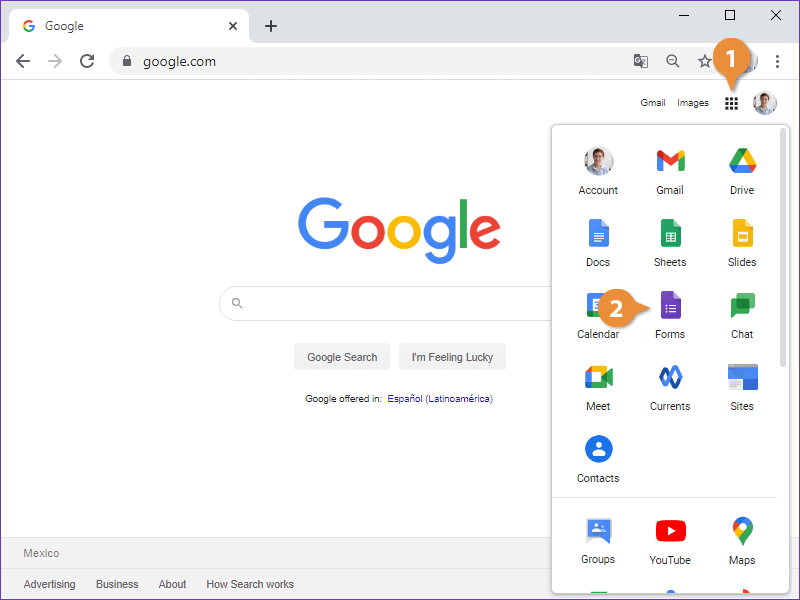
Open Google Forms
- Click the Google Apps button.
- Select Forms.
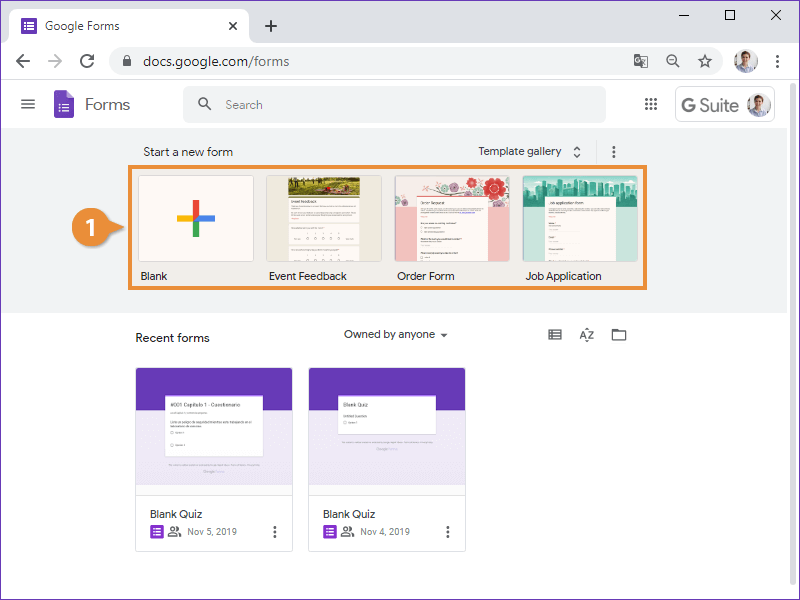
Create a New Blank Form
- Click Blank.
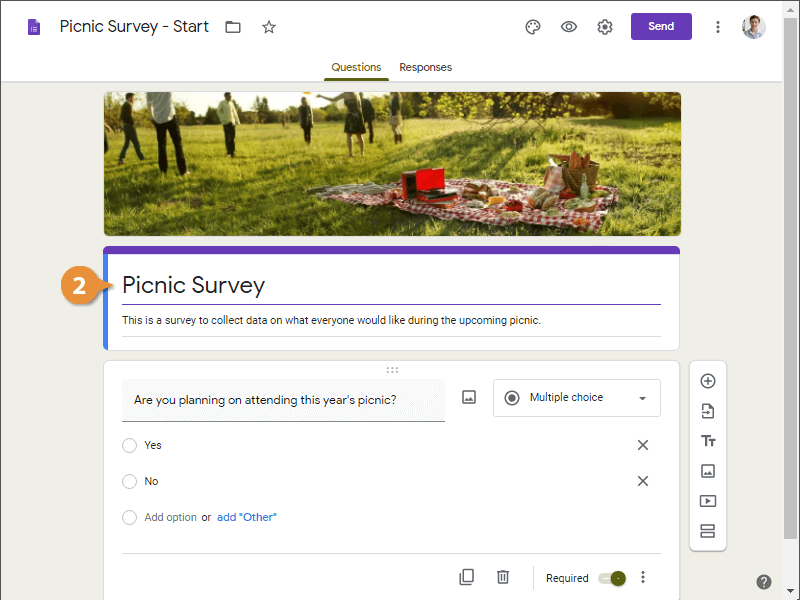
A new blank form appears.
- Click in a form’s Title field and enter a new title.
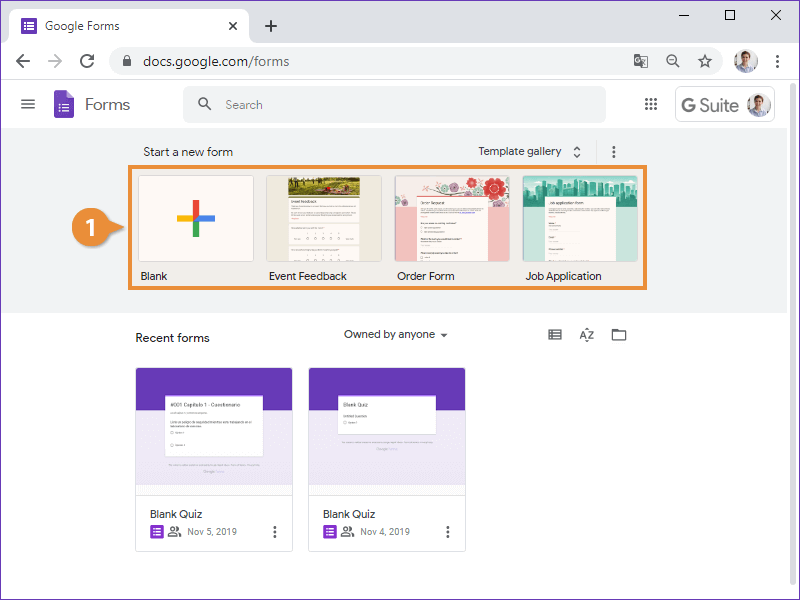
Create a New Form from a Template
- Select a template.
A new form appears, based on the selected template, and contains some basic questions for the recipient to fill out.